Explore Ice Fishing
Open Ice Fishing on the device you use
The useful mobile test for Ice Fishing is whether you can read and operate the complete round on a small screen. Locate the stake total, acceptance status, feature controls and account history before judging the experience by video quality alone.
Find a supported route to the table, verify software before installing it and distinguish mobile account actions from simply reading recorded game statistics.
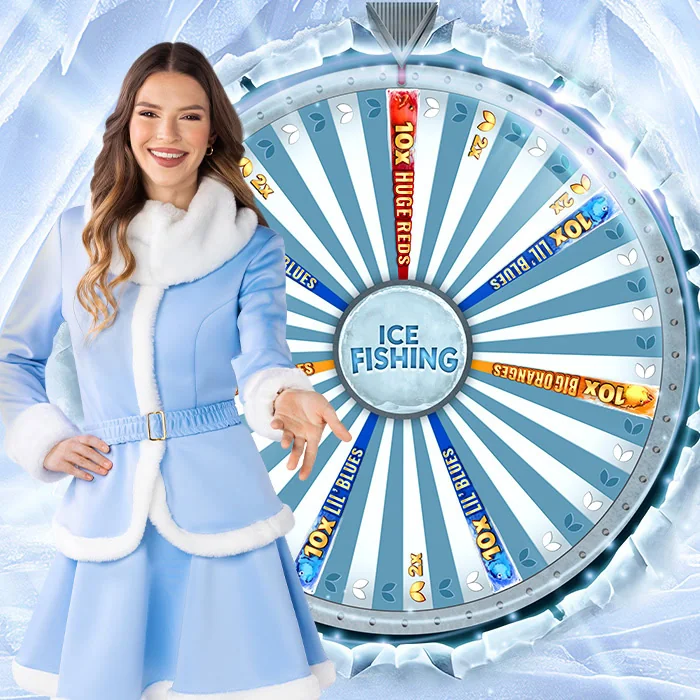
Guide sections
Start with the operator's browser version
Begin at the operator’s verified main website and look under Live Casino or Game Shows. Search the title and confirm the Evolution label. The launch shown in your signed-in lobby identifies the browser or application routes currently supported for that account.
A promotional title page may not launch the table, while a store listing may describe an unrelated fishing game. Neither proves access to Evolution’s product. Verify the opened table’s title and provider in the account lobby instead of trusting an app-name match.
| Access method | What it lets you do | Details to confirm |
|---|---|---|
| Phone browser | Use the operator's supported website without installing another program | Verified website, compatible browser and title available to the account |
| Casino operator's app | Reach the operator's account features and game lobby through its application | Correct publisher, official installation instructions and eligible region |
| Computer browser | Keep more controls and historical information on screen together | Compatible browser, reliable connection and clearly displayed limits |
| Our results pages | Inspect recorded spins and run educational historical comparisons | Age of the newest record and how much history the sample contains |
Find history and settings before you need them
Treat the desktop captures as a reference for locating equivalent phone controls. Find history, sound and settings, then check how the layout manages the table window and navigation between games.
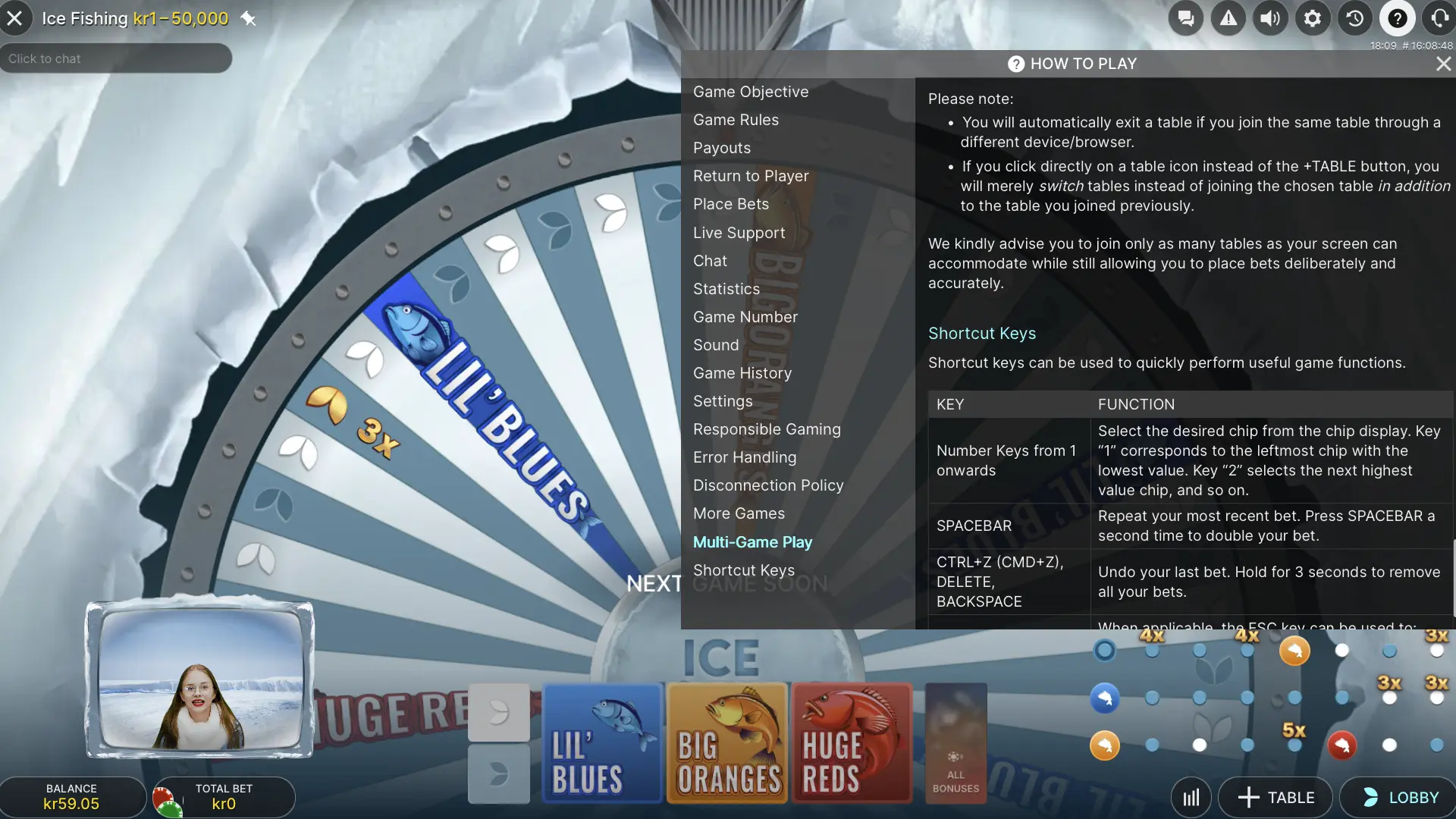
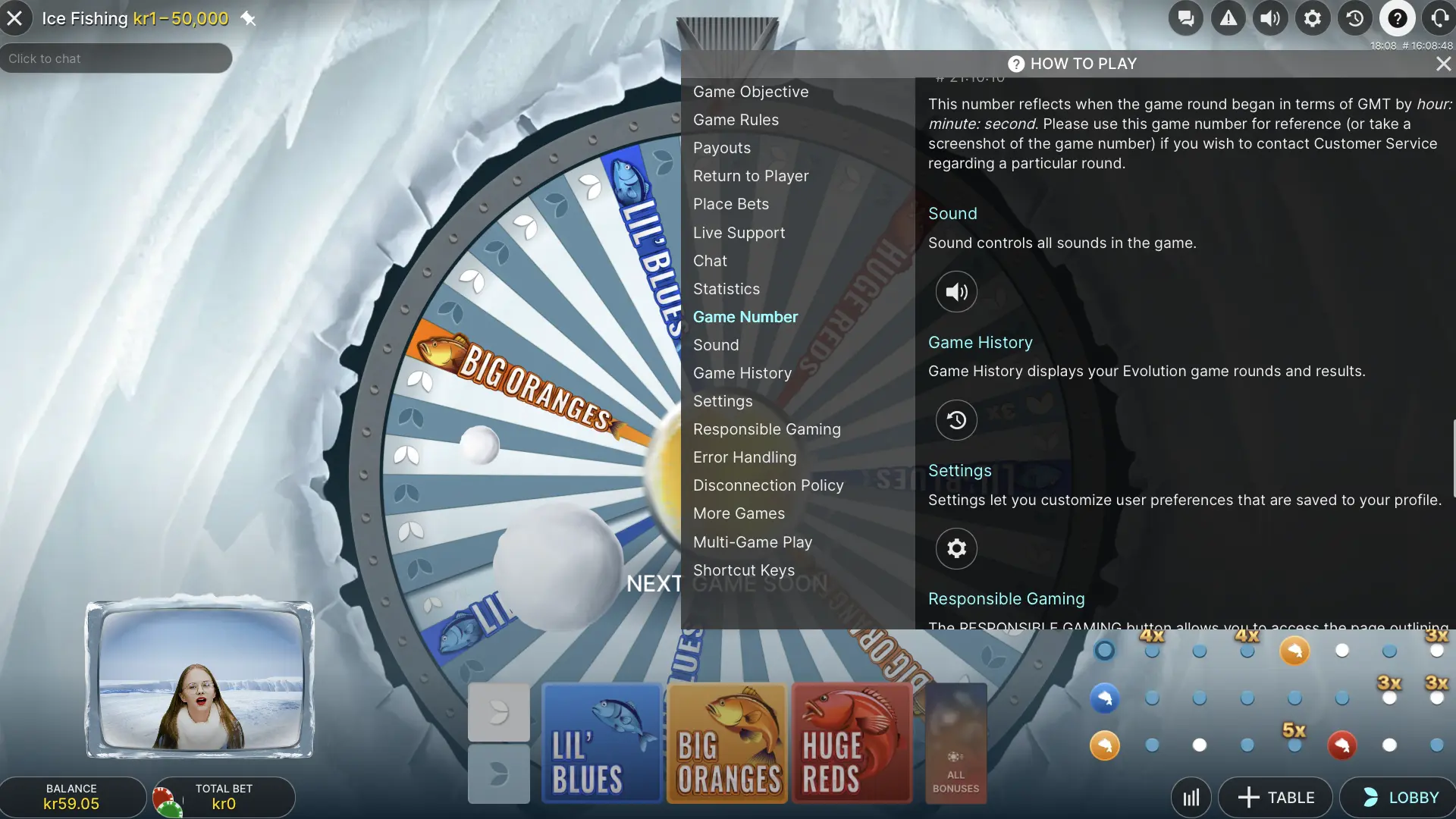
Interface images were captured in August 2025. Their currencies and limits belong to the specific table shown.
What a genuine game download route looks like
Operators carrying Evolution provide access to Ice Fishing. They may offer both a website and an application, but those are operator access products. This publication distributes no standalone APK, executable installer or application accepting betting funds.
If an operator supplies an installer, follow the current instructions on its verified website. Check the publisher, requested permissions and updating method first. A chat attachment, filename or search advert using “Ice Fishing” does not identify the software’s creator or contents.
The round-history dashboard opens directly in a browser. No separate installation is required for its recorded outcomes, illustrations, heatmap or strategy replay.
Identify the fault before trying again
| What you see | Check this first | What to do next |
|---|---|---|
| The preview remains on its cover | Browser autoplay, power-saving and motion preferences | Start it with the visible video control |
| The live picture keeps buffering | Connection quality and the operator's service message | Check accepted stakes in round history after recovery |
| The table does not open | Account eligibility, provider and location notice | Use the access steps published by the operator |
| The balance does not match your expectation | Accepted total stake and the personal round record | Reconcile each debit and credit against its game number |
| The tracker shows no fresh round | Timestamp of the latest source entry and request status | Wait for published records instead of assuming a new outcome |
| A withdrawal is still processing | Verification completion and the payment's current stage | Contact cashier support from the authenticated account |
Repeating a payment or bet while the screen is unclear can make the submitted actions harder to track. Inspect the relevant account or round record first. Public results identify game outcomes; proof of a particular account operation must come from operator records or support.
Update software through its normal official channel and use a strong account password. Someone with an unlocked device and active casino session may gain access to that account. The same precautions apply to installed apps and browser sessions.
The main Ice Fishing guide supplies the complete introduction. For settled outcomes on a phone, open the browser-based results page without installing an app. · the results page
Keep every important control visible
See the entire betting selection
Read every covered spot and the combined amount. Where landscape is supported, rotate the device and use the layout that makes the full panel clearest.
Open the limits panel before betting
A small icon or collapsed panel can hide important rules. Read them before committing funds rather than trying to inspect conditions during a countdown.
Check connection and settlement separately
Buffering interrupts the view but may not stop the server-side round. After reconnecting, consult the settled record to establish what happened to an accepted wager.
Know which history answers your question
This tracker is for studying game outcomes. Acceptance of your bet and its credited amount must be checked in personal casino history.
Wide statistics scroll within their own panels, keeping the surrounding mobile page readable. After unlocking the phone or returning from a background tab, check the newest record’s age. Old data can remain visible until a successful request refreshes it.
Separate a loading problem from an access problem
A stationary poster need not indicate failed video. Mobile autoplay restrictions, power saving and reduced-motion preferences can prevent automatic playback. Use the visible Play control; the poster still provides an interface reference before playback starts.
For a live table fault, first read the operator message and check supported browsers and account status. Refreshing cannot remove eligibility or location restrictions. If the display froze during a betting action, inspect accepted wagers before submitting another.
If only the public feed is unavailable, previously loaded records may remain with an explanatory status. An unchanged list is not a new set of spins. This site does not invent replacement rounds to make an interrupted connection look live.
Browser or app on Android, iPhone and iPad
Using a browser on Android
Use an updated, supported browser on the operator’s verified website. Search the Evolution or game-show category and read the launch notice. A supported web route can avoid installation, but does not remove account checks or regional conditions.
Checking an Android operator app
Where an operator offers an app, follow its verified website’s download route and compare publisher details. A file named for Ice Fishing is not automatically Evolution software or a functional live table. The statistics here require neither an APK nor weakened device protections.
Opening the game on iPhone or iPad
Follow official operator instructions to its supported app or mobile website. If routed to the App Store, match both application and publisher to that service. A similarly named fishing simulator is a different product and cannot add this table to an account lacking access.
An app’s existence does not establish what its signed-in lobby can open. The operator comparison distinguishes a title page, an old announcement and a listing requiring an account-level availability check.
Seven checks for a clearer mobile session
- Verify the starting website. Use the confirmed operator domain and match Ice Fishing with its Evolution provider label.
- Confirm the account can open the table. Read the eligibility conditions and the game's access message before making a deposit.
- Read the information menu. Check the actual table currency, minimum stake, individual spot limits and maximum payout.
- Choose a layout you can read. Try the supported orientations and locate the total-stake figure before touching the bet controls.
- Observe playback without betting. Make sure the countdown and picture remain readable on the connection you intend to use.
- Find the round record and help route. Locate the game number and accepted-bet history now, so you can refer to them if a session is interrupted.
- Set the session boundaries. Choose a spending budget and use available time, deposit and loss limits before the first round you enter.
On a phone, inspect the chip value as closely as the outcome selected. Another tap may add another chip, and Double can raise every covered position. After applying a shortcut across three fish, check the total again. The bet-control guide illustrates those actions with original captures.
A live session requires both an internet connection and the operator servers. Installing software does not make the table playable offline. Likewise, saved preview footage can explain the interface but cannot show the round currently running.
What changes between a phone and a desktop
Choose a device for clarity, not a supposed mathematical advantage. A larger monitor offers room without adding red segments or improving a spin. On a phone, inspect the complete panel, rules menu and the previous combination that Rebet would restore.
| What you want to do | Phone or tablet view | Computer view |
|---|---|---|
| See all game controls | A supported horizontal view may be easier to read | More space for the stream beside the bet panel |
| Read the complete rules | Open the help panel and inspect the reference screenshots | More text fits without repeated vertical scrolling |
| Compare statistical columns | Scroll sideways inside a wide data panel | Multiple columns often fit at the same time |
| Move between tables or tabs | Leaving the foreground may interrupt the visible video | Several open tabs require care to identify the active table |
| Use the betting controls | Touch the panel and chip controls | Use a mouse or the shortcuts supported by that table |
A device interruption and an accepted wager’s status are different questions. A frozen animation does not establish cancellation. After the session resumes, inspect the game number and personal record before staking again, even if the table has already progressed.
The results page requests updates when the tab becomes visible again. The provider may still return batches with an older latest timestamp. That timestamp measures source freshness; changing screen brightness or installing an operator app cannot accelerate publication.
Manage account details and payments carefully
The operator handles registration and transfers. Before depositing, confirm account currency and whether the chosen method supports withdrawals as well as deposits. A familiar payment logo does not establish your account’s fees, verification steps, withdrawal route or conditions.
An INR account balance is different from a currency choice in a modelling calculator. The latter formats hypothetical figures and does not establish payment support. Crypto balances also have a token quantity and a changing ordinary-currency value, which may change again before withdrawal.
Complete verification through the authenticated document-upload flow inside the account. Follow its image-quality instructions instead of sending documents to an address copied from an unrelated chat. Required documents and processing time depend on the operator and individual case.
Read minimum amounts, ownership requirements, processing stages and withdrawal ceilings before a transfer. For crypto, match both asset and network to the supported destination. The same token name can exist on multiple networks, so establish the full cashier instructions first.
The bonus-terms guide explains additional conditions on welcome offers. Accepting one can alter how funds may be used even when they appear within the same familiar mobile balance screen.
Login, downloads and missing tables
The operator owns the account used to access the game. Follow its verified registration or login route, complete required checks and locate Evolution’s title in the supported lobby. There is no universal Ice Fishing login across unrelated casinos, and this guide creates no player accounts.
Use recovery on the operator’s verified login page, following the message through the account email or another previously configured method. Keep passwords and one-time codes private. A tracker, presenter or video comment does not need them to identify a round.
An installer’s name does not verify its publisher. Evolution identifies the game in its official catalogue; supported operators provide their own account access. Match the title, developer and download destination through verified operator instructions. A similarly named simulator remains another product.
Read the exact error and current operator notices. Missing access may reflect maintenance, catalogue changes, an account issue or regional availability. For an interrupted round, record its game number and use signed-in support. A public feed cannot explain why one particular account lost access.
This publication provides explanations, videos and public statistics, without a player wallet. The chosen operator handles accounts, verification, deposits and withdrawals. Confirm destination, currency and payment terms in its cashier before transferring funds.
For closure of the account used to play, use operator settings or authenticated support. Distinguish ordinary closure from gambling self-exclusion, and handle an eligible remaining balance through the stated process. Deleting an app or closing a tab does not close the account.
Before you use this page
Tick off the checks that you have completed. The list resets when you reload; no account data is requested.
Practical questions
Answers about Ice Fishing
Can I download an Ice Fishing APK here?
This guide offers information and statistics in the browser. It hosts no betting app, installer or casino authentication system.
Are the statistics usable on both Android and iPhone?
Both platforms can use the pages in a mobile browser. Fresh results still require the external source to publish data and respond successfully.
What keeps the preview from starting automatically?
Automatic playback may be stopped by autoplay rules, battery saving or reduced-motion preferences. Use the player’s visible Play button.
Does installing a casino app make Ice Fishing available?
Availability still depends on catalogue, account and region. Verify the signed-in lobby rather than inferring access from the app name.
Is there an offline version of the live table?
The live table needs a connection to the operator. Saved pictures and previews explain the interface but cannot operate or settle an offline round.
Does seeing INR mean Indian payment methods are supported?
A currency label or calculator setting does not verify a payment method. Check supported deposits, withdrawals and their terms in the account cashier.
Does losing the connection void an accepted bet?
Published disconnection rules preserve accepted bets. Reconnect and inspect personal history. Formal cancellation for a game error is a different case with separate settlement handling.
EVOLUTION GAMES GUIDE